How to Play
The Fishing Bingo Challenge is simple:
- Tap/Click “Generate Board” to get a bingo card
- Go fishing to try and complete the objectives, tapping to mark as complete
- Each fish you catch can
- If you get five in a row, column, or diagonally, you win!
Keep reading if you want to learn more and even make your own bingo objectives!
The Fishing Bingo card is a 5X5 grid with different fishing objectives. To complete an objective, you have to catch a fish under the rules of that objective.
Some objectives require you to fish at a certain type of water, others require you to use a certain lure or bait, or target a certain species.
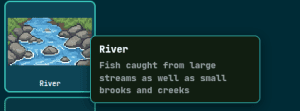
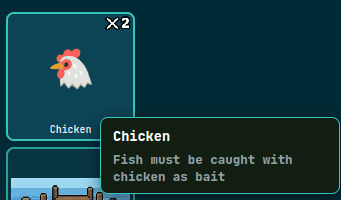
Hovering over (tap & hold on mobile) the objective explains it in more detail:
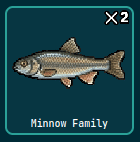
If you are in medium or hard mode, you will also see spots that look like this:
As the number suggests, you must catch two or three fish satisfying the objective in order to complete it.
It’s also customary in bingo for the center square to be a Free Space. This is the default behavior for the game, but you can select other options from the drop-down next to the game difficulty:
- Free Space – Center square is free and counts as completed
- BASE Center – BASE objective is always in center square
- No Special Center – Center square is a random objective like any other spot
Customizing Your Game
Removing an Objective
“But Bryce, I don’t live anywhere near the ocean!”
Well fear not, because you can actually customize the game to remove and even add your own objectives!
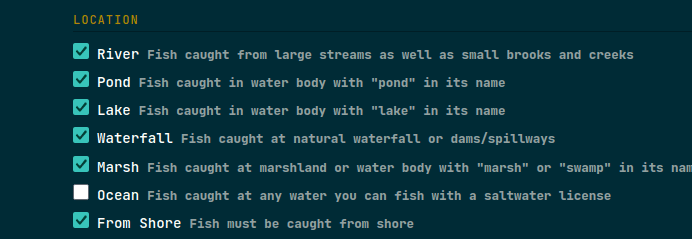
To do this, go to the Items & Settings page, and deselect any objectives you don’t want on your bingo card:
Adding Your Own Objectives
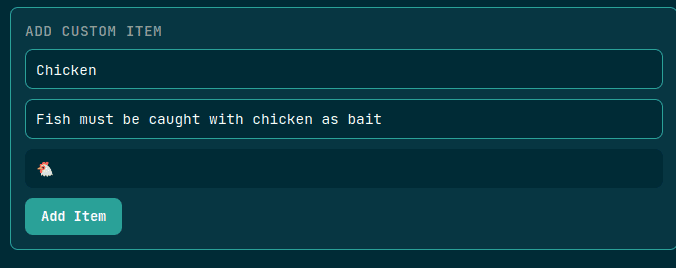
You’ll also see in the Items & Settings page an area called ADD CUSTOM ITEM. This form can be used to create your own objectives to be used in Fishing Bingo:
There is no guarantee that your custom objective will be used in the generated board, but you can always keep generating new boards until it shows up: